images
Imaging is in beta. Behaviour and screens may change.
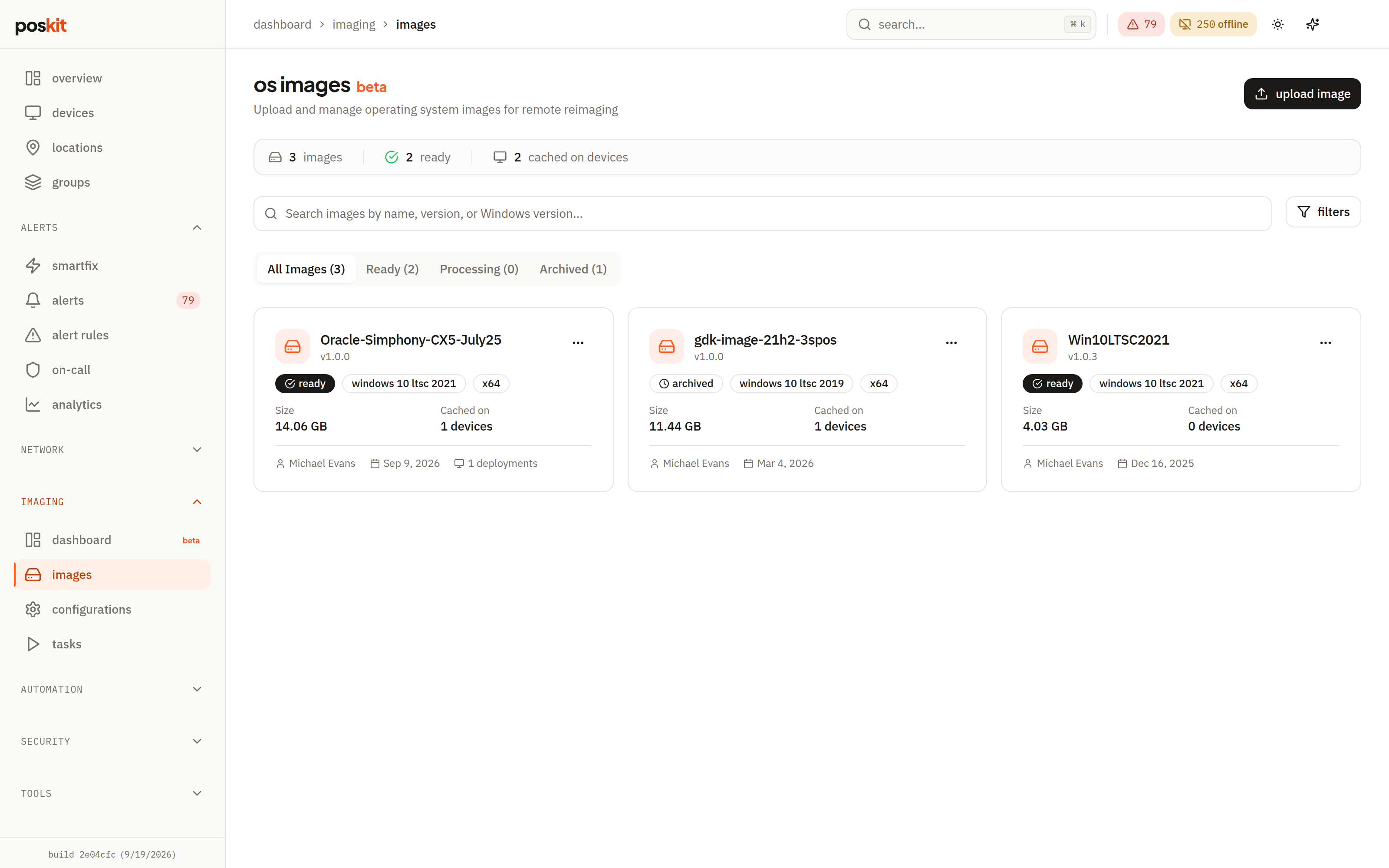
Images are the operating system builds you reimage devices from. This page is where you upload them and manage their lifecycle.
statuses
| Status | Meaning |
|---|---|
| Pending | Registered, not yet uploaded |
| Uploading | Upload in progress |
| Processing | Uploaded, checksum being calculated |
| Ready | Usable for reimaging |
| Error | Upload or processing failed |
| Archived | Retained but out of use |
Tabs cover All Images, Ready, Processing and Archived with counts, plus a search box.
The Processing tab groups everything that is on its way to Ready — images that are Pending, Uploading or Processing all appear under it.
uploading an image
| Field | Notes |
|---|---|
| Image File | .wim or .esd only |
| Image Name | For example "Windows 11 Enterprise" |
| Version | For example "1.0.0" |
| Description | — |
| Windows Version | — |
| Architecture | — |
| Set as Default Image | A switch |
Anything that is not a .wim or .esd is rejected with "Invalid file type. Please upload a .wim or .esd file."
how the upload works
| File size | Upload method |
|---|---|
| Over 5 GB | Multipart upload, with per-part progress |
| 5 GB or under | A single upload |
Cancelling an in-flight large upload aborts it properly rather than leaving a partial upload behind.
After a large file has finished uploading, a checksum is calculated server-side. That is what the Processing status is — the upload is done, the image is not yet Ready.
An image that appears stuck at 100% is almost always in this phase. It is working; let it finish.
The checksum is not just an integrity check. It is also how image staleness is detected against each device's cache.
per-image actions
Open an image from the list to reach its detail page. The actions menu there offers:
| Action | Available when |
|---|---|
| Set as Default | The image is not already the default and its status is Ready |
| Archive | The image is not already archived |
| Delete | Always offered, but the system can refuse — see below |
These actions live on the image detail page, not on the cards in the image list. Open the image first.
Deletion is blocked when the image has active reimage tasks against it — anything still pending, approved, preparing, rebooting, imaging, configuring or completing. You will get an explanation rather than a silent failure.
Being referenced by a configuration does not block deletion. Deleting an image that a configuration still points at is permitted, and it will break that configuration. Check which configurations use an image before deleting it.
Archive is usually what you want for a build you are retiring but may need to roll back to.
versioning in practice
Put the real build identity in Version and keep Image Name stable across builds — "Windows 11 Enterprise" at version 1.4.0, rather than a new image called "Windows 11 Enterprise Feb". Configurations reference an image, so a naming scheme that produces a brand-new image for every build means editing configurations every time you rebuild.
Once an image is Ready, it still has to reach the devices. Caching is driven by the Enable Image Sync setting on a configuration, and the dashboard's coverage rate tells you how far through the estate that has got.